
4Service · Product area
Assets: service with equipment context
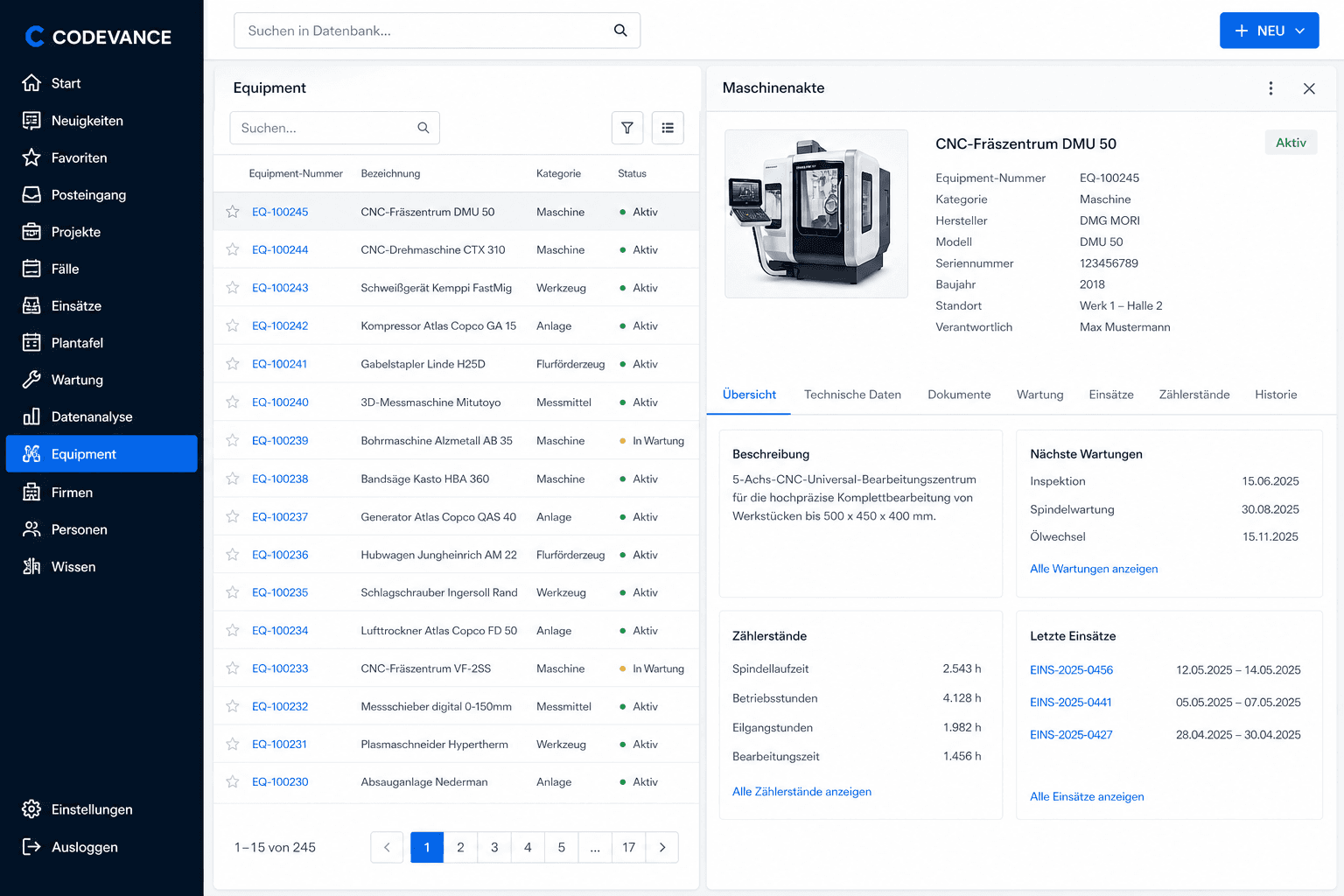
Machines and plants are the reference point. In 4Service, records, history, and open cases belong together so planning and execution run on the same data.
Speed is decided at the asset
When serial number, location, and history are instantly available, you plan better and answer customer questions faster. That’s exactly what the asset area in 4Service is for.
Not a siloed tool—part of the same service workflow.
What you gain in practice
Less searching, more confidence in dispatch and on the job.
Central equipment record
Master data, documents, and notes live on the asset—not scattered across folders.
History at a click
Which jobs and actions happened? The history is visible on the equipment.
Cases on the equipment
Tickets and tasks are linked to the right asset. That cuts follow-up questions.
Same status for everyone
Office and field teams work with the same equipment information.
Less hunting for information
Serial number, location, and history sit where the case is handled.
Stronger billing basis
Work on the asset is traceable and easier to hand off cleanly.
Features at a glance
What assets and equipment records cover day to day.
- ✓Maintain assets and equipment centrally
- ✓Structure serial numbers and master data
- ✓Digital equipment record with documents
- ✓View service history per asset
- ✓Link cases and tasks to the asset
- ✓Store job sites and customer references
- ✓Make relevant info available on mobile
- ✓Prepare maintenance and jobs better
- ✓Answer equipment questions faster
- ✓Handovers without information loss
- ✓Create a basis for post-calculation
- ✓Connected to planning, travel expenses, and knowledge
See assets in the service workflow
Check how equipment records and cases work together in 4Service.